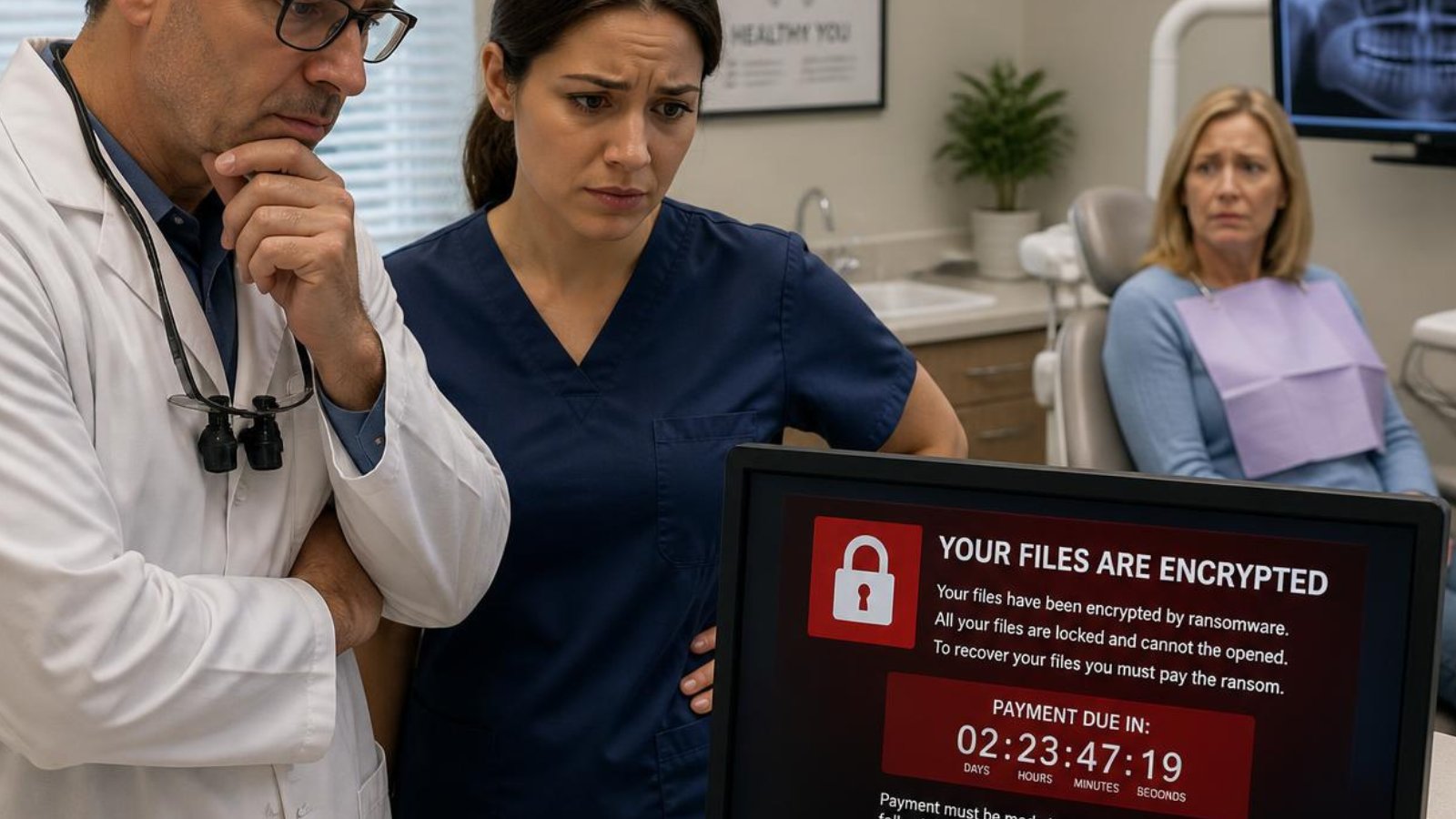
A ransomware attack can bring a dental practice to a standstill in minutes. Appointment schedules become inaccessible, Dentrix or Open Dental may stop working, digital X-rays can become unavailable, phones and email may be disrupted, and staff may lose access to patient records. Every hour of downtime means cancelled appointments, lost production, frustrated patients, and increased stress.
The good news is that the outcome depends largely on your preparation. Dental practices with layered cybersecurity, tested backups, and an experienced IT partner can often recover far more quickly than those relying on reactive IT support.
This guide explains what happens during a ransomware attack, how recovery works, and what every dental practice should do before an attack ever occurs.
How Does Ransomware Get Into a Dental Practice?
Most attacks begin with a simple mistake, not sophisticated hacking.
The most common entry points include:
1. Phishing Emails
An employee clicks a malicious attachment or fake Microsoft 365 login page.
2. Weak Passwords
Compromised passwords remain one of the easiest ways attackers gain access.
3. Missing Multi-Factor Authentication (MFA)
Without MFA, stolen passwords may be all an attacker needs.
4. Unpatched Computers
Outdated operating systems and applications often contain known security vulnerabilities.
5. Unsecured Remote Access
Poorly secured remote desktop services continue to be a common target.
What Happens During a Ransomware Attack?
Most attacks follow a predictable pattern.
Stage 1: Initial Access
Attackers gain access through a compromised account or device.
Stage 2: Silent Spread
The malware moves across computers and servers while attempting to gain higher privileges.
Stage 3: Data Encryption
Patient records, Dentrix databases, Open Dental databases, imaging systems, documents, and shared files become encrypted.
Stage 4: Business Shutdown
Your practice may lose access to:
- Practice management software
- Digital X-rays
- Scheduling
- Shared documents
- Billing systems
- File servers
At this point, patient care is significantly disrupted.
How Much Can Downtime Cost?
While every practice is different, downtime affects far more than technology.
Potential costs include:
- Lost production
- Cancelled appointments
- Staff downtime
- Emergency IT response
- Regulatory reporting
- Reputation damage
- Patient confidence
- Recovery expenses
For many practices, the indirect costs exceed the ransom demand itself.
Should You Pay the Ransom?
There is no one-size-fits-all answer.
Paying a ransom does not guarantee:
- Your files will be restored.
- Attackers haven't copied your data.
- Systems will be fully functional afterward.
- You won't be targeted again.
The best recovery strategy is having reliable, tested backups and an incident response plan before an attack occurs.
How to Reduce Your Risk
The most effective defense is a layered approach.
Multi-Factor Authentication
Protect email, Microsoft 365, remote access, and administrator accounts.
Endpoint Detection & Response (EDR)
Identify and stop suspicious activity before ransomware spreads.
Security Awareness Training
Teach employees how to recognize phishing emails and other common attacks.
Secure Backups
Maintain encrypted backups and test them regularly.
Patch Management
Keep operating systems, software, and network equipment up to date.
Continuous Monitoring
Detect and respond to threats before they become business interruptions.
Real Stories from Dental Practices
Technology problems rarely happen at convenient times.
"When Dentrix Goes Down, Every Minute Matters"
James Stafford of Wow Dental has worked with Torch Networks for nearly a decade.
"When Dentrix goes down and you have patients in the chair, every minute matters. Their team responds quickly, communicates well, and works efficiently to get us back up and running."
He also emphasized the importance of onsite support when remote troubleshooting isn't enough:
"Unlike other IT providers, they don't hesitate to send a technician to our office when a problem can't be resolved remotely."
Peace of Mind Through Proactive IT
Dr. Chad Green of Associates in Periodontics, Implantology & Endodontics shared:
"The biggest benefit of working with Torch Networks is the peace of mind."
He credits Torch Networks' proactive approach and deep understanding of dental practices for helping keep their office running with minimal disruption.
Predictable Support During Critical Moments
Bobi Jo Stufflebeam of Dickey Dental values knowing help is always available.
"Torch Networks is incredibly responsive and resolves issues quickly."
She also appreciates the predictable monthly pricing and proactive guidance that helps prevent larger technology problems.
Ransomware Recovery Checklist
If your practice suspects a ransomware attack:
- Disconnect affected devices from the network.
- Do not power off servers unless instructed by your IT team.
- Contact your IT provider immediately.
- Notify your cyber insurance carrier.
- Preserve evidence for forensic investigation.
- Begin recovery using verified backups.
- Evaluate HIPAA breach notification requirements.
- Review security controls before reconnecting systems.
Having a documented incident response plan before an emergency dramatically improves recovery.
Frequently Asked Questions
Can ransomware infect Dentrix or Open Dental?
Yes. While the software itself isn't the target, the databases and servers that store your practice data can be encrypted if attackers gain access.
How long does recovery take?
Recovery time depends on the severity of the attack, the quality of your backups, and how well your systems are prepared. Practices with tested backups generally recover faster than those rebuilding systems from scratch.
Will cyber insurance pay the ransom?
Coverage varies by policy and insurer. Many policies require specific cybersecurity controls before ransomware-related expenses are covered.
Can ransomware be prevented?
No organization can eliminate risk entirely, but layered cybersecurity, employee training, proactive monitoring, and tested backups significantly reduce both the likelihood and impact of an attack.
Why Dental Practices Choose Torch Networks
Dental practices throughout the DFW Metroplex rely on Torch Networks because technology issues directly affect patient care.
Our team provides:
- 24/7 Help Desk
- 15-Minute Response Time
- Deep expertise with Dentrix, Eaglesoft, and Open Dental
- HIPAA-focused IT support
- Layered cybersecurity
- Secure backup and disaster recovery
- Remote and onsite support
- Proactive technology planning
When every minute counts, our goal is simple: restore operations quickly and help prevent the next incident.
Schedule a Complimentary Cybersecurity Assessment
Whether you're concerned about ransomware, preparing for a cyber insurance renewal, or simply want confidence that your practice is protected, Torch Networks can help. We'll assess your current environment, identify risks, and recommend practical improvements so your team can stay focused on patient care not technology emergencies.