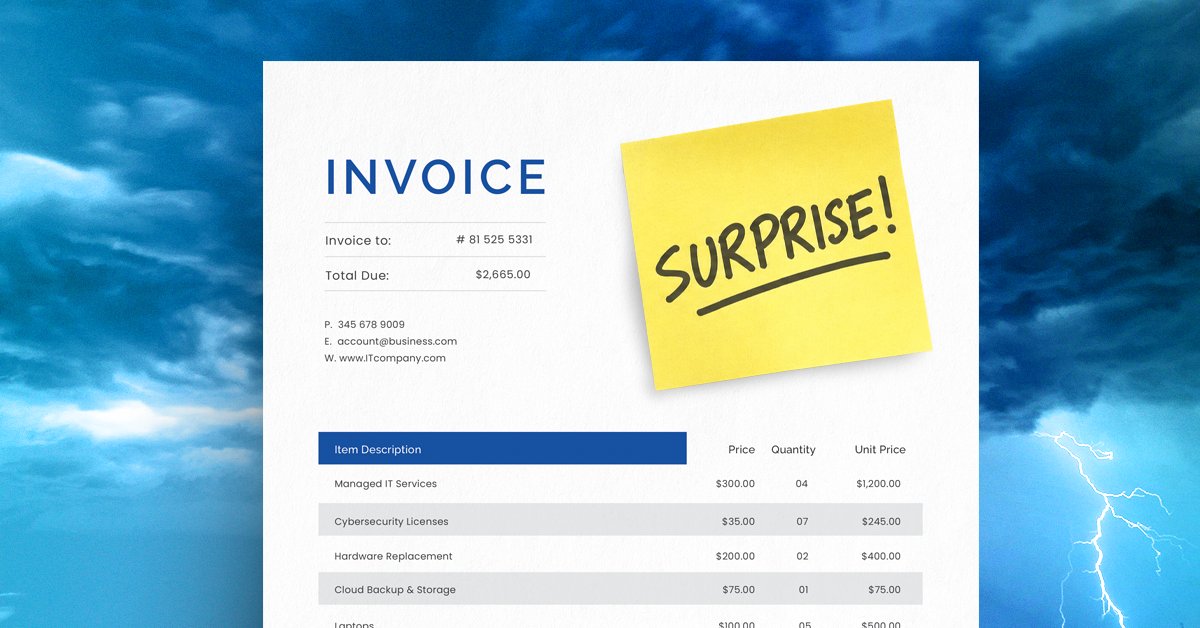
Running a dental practice comes with enough financial responsibilities. Between staffing, equipment, supplies, and patient care, the last thing you need is an unexpected IT expense disrupting your budget.
At the beginning of the year, your technology expenses may seem predictable. Your computers are working, your dental practice management software is running, and your monthly IT costs are accounted for.
But what happens when a front desk computer fails, your software licensing costs increase, or your practice needs additional workstations for new employees?
Suddenly, expenses you didn't anticipate start adding up.
For dental practices in Austin, San Marcos, and Dallas, Texas, unexpected technology expenses can affect more than the bottom line. They can disrupt scheduling, delay patient check-ins, interfere with access to digital records, and create unnecessary stress for your team.
The good news? Many of these expenses can be anticipated with better IT planning.
Here are four common IT budgeting mistakes dental practices should avoid.
1. Building Your IT Budget Around Last Year's Expenses
One of the most common budgeting mistakes is assuming next year's technology costs will look exactly like last year's.
While previous expenses provide a useful starting point, they don't account for changes in your dental practice.
Consider what may have changed over the past year:
- Have you added new hygienists, dentists, or administrative employees?
- Are your workstations and computers approaching replacement age?
- Have your dental software licensing or support costs changed?
- Are you planning to add operatories or expand to another location?
- Have your cybersecurity or data protection requirements changed?
A dental office that operated efficiently with eight employees last year may need additional technology resources to support twelve employees today.
The solution: Review your current IT environment and upcoming business plans before finalizing your budget. A proactive IT provider can help identify aging equipment, anticipated licensing costs, and potential infrastructure upgrades before they become unexpected expenses.
2. Waiting Until Dental Office Computers Fail Before Replacing Them
Every dental office seems to have that one computer.
Maybe it's the front desk workstation that takes forever to load. Perhaps it's an operatory computer that freezes when accessing patient information, or an older machine that struggles to run your practice management software.
The usual response?
"It still works."
But relying on outdated technology until it fails can create much bigger problems than the cost of replacing a computer.
When critical technology stops working unexpectedly, your dental team may experience:
- Delays checking patients in or out
- Difficulty accessing scheduling and patient records
- Interruptions to practice management software
- Lost productivity while waiting for repairs or replacement equipment
- Unplanned expenses for emergency troubleshooting
For dental practices using systems such as Dentrix, Eaglesoft, or other practice management platforms, reliable workstations and properly maintained infrastructure are important to keeping daily operations moving.
The solution: Establish a technology replacement schedule based on equipment age, performance, software requirements, and business needs.
Planning replacements ahead of time allows your dental practice to spread out technology expenses rather than facing multiple unexpected purchases at once.
3. Letting Dental Software and IT Subscriptions Renew Automatically
Dental practices rely on multiple technology platforms to operate efficiently.
From practice management software and digital imaging applications to Microsoft 365, cloud backups, and cybersecurity services, recurring subscriptions can represent a significant portion of your IT budget.
Automatic renewals make these services convenient, but they can also allow unnecessary expenses to go unnoticed.
For example, your practice might be:
- Paying for software licenses assigned to former employees
- Maintaining subscriptions for tools your team no longer uses
- Renewing services without reviewing pricing changes
- Paying for overlapping technology solutions
- Missing opportunities to consolidate services where appropriate
Over time, these costs can add up.
The solution: Review your software subscriptions, licensing, and vendor agreements before renewal dates.
An experienced managed IT provider can help your dental practice evaluate its technology environment, identify potential inefficiencies, and plan for upcoming renewal expenses.
4. Planning Practice Growth Without Considering IT Costs
Opening another operatory? Hiring an additional dentist? Expanding your dental practice to a second location in Austin, San Marcos, or Dallas?
Growth is exciting, but it also brings additional technology requirements.
New employees and expanded operations may require additional computers, software licenses, network connectivity, cybersecurity protections, and access to patient records.
For multi-location dental practices, planning becomes even more important.
Without proper coordination, technology decisions can lead to compatibility problems, unexpected expenses, and operational delays.
For example, adding new treatment rooms may require more than purchasing computers. Your practice may also need to evaluate network capacity, imaging software requirements, equipment connectivity, and data security.
The solution: Include your IT provider in practice expansion and budgeting conversations from the beginning.
When technology planning aligns with your practice's growth goals, you can better anticipate expenses and avoid last-minute surprises.
Don't Forget Cybersecurity and HIPAA Considerations
One technology expense dental practices should never overlook is cybersecurity.
Dental offices handle sensitive patient information, making data protection an important part of daily operations and long-term financial planning.
Your technology budget should account for appropriate safeguards such as:
- Reliable data backup and recovery solutions
- Multi-factor authentication
- Endpoint security and threat protection
- Software updates and patch management
- Employee cybersecurity awareness training
- HIPAA-related security risk assessments and safeguards
Under the HIPAA Security Rule, covered dental practices must implement applicable administrative, physical, and technical safeguards to protect electronic protected health information.
Cybersecurity planning isn't just about purchasing security software. It's about understanding your practice's risks and budgeting for the protections and processes needed to address them.
A Better IT Budget Means Fewer Surprises for Your Dental Practice
Your dental practice shouldn't have to choose between reliable technology and predictable expenses.
With proactive planning, equipment lifecycle management, regular software reviews, and strategic IT guidance, you can gain better visibility into upcoming technology costs.
More importantly, you can focus on what matters most: caring for your patients and keeping your practice running smoothly.
Dental IT Support in Austin, San Marcos, and Dallas, Texas
At Torch Networks, we understand that dental practices depend on reliable technology to deliver patient care and maintain efficient daily operations.
Since 2001, we've helped businesses manage their technology with proactive IT support, cybersecurity solutions, and strategic guidance.
Our managed IT services help dental practices plan for technology expenses, maintain critical systems, and address potential problems before they create unnecessary disruptions.
With experienced engineers, proactive monitoring, and a 15-minute response guarantee, Torch Networks provides the support dental offices need to operate with greater confidence.
Whether you operate a single dental office or manage multiple locations in Austin, San Marcos, or Dallas, we're here to help you make smarter technology decisions.
What's Hiding in Your Dental Practice's IT Budget?
Are aging computers, software renewals, or cybersecurity gaps creating financial uncertainty for your practice?
Let's take a closer look before unexpected expenses affect your bottom line.
Schedule a brief discovery call with Torch Networks to discuss your dental practice's current technology environment and identify areas that may need additional planning.
Call 888-728-6141 or visit www.torchnetworks.com to get started.